Git Collect Plugin for Jenkins
Contact Us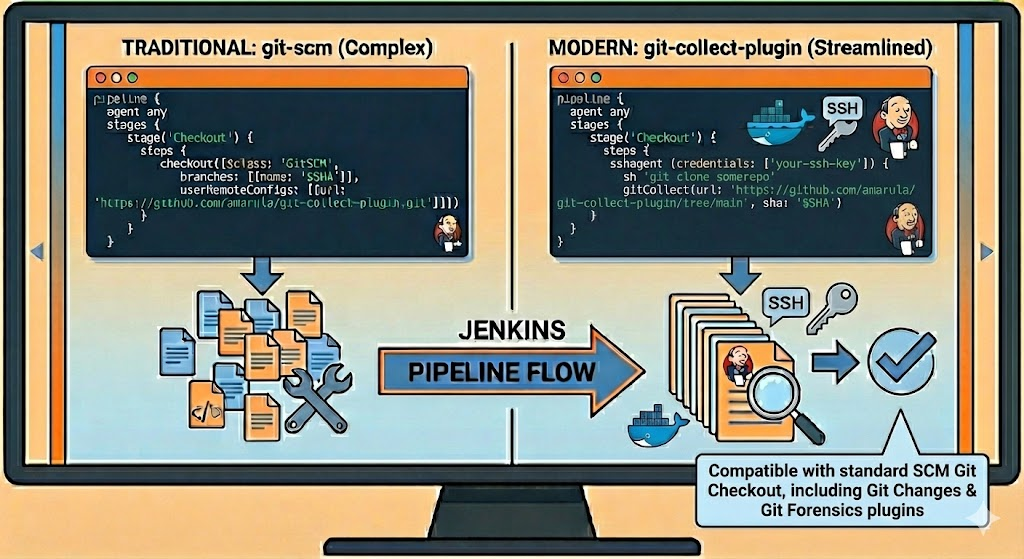
Git Collect is a Jenkins plugin designed to register an already existing local Git repository into Jenkins build data without performing a network fetch, clone, or checkout.
This plugin bridges the gap between custom shell-based git operations and Jenkins’ native Git integration. It allows you to use a standard git clone step via a shell script (sh) while achieving the same result as the standard gitscm plugin. This ensures that Jenkins still records the Git revision and branch information, and can trigger downstream plugins (like the Git Parameter or Release plugins) effectively.
Features
No Network Activity: Strictly operates on the local file system to gather metadata.
Pipeline Support: First-class support for Jenkins Pipeline via the
collectGitstep.Accurate Revision Tracking: Distinguishes between the User Intent (Marked Revision, e.g.,
origin/master) and the Actual Result (Built Revision, e.g.,SHA1).Compatibility: Generates standard
BuildDataactions, making it compatible with other plugins that rely on standard Git plugin data structures.
Integration & Compatibility
The Git Collect plugin is designed to fit seamlessly into complex containerized or secure environments. It is fully compatible with:
Jenkins SSH Agent Plugin: Use SSH keys managed by Jenkins to clone repositories in your shell scripts, then use
collectGitto register the data.Jenkins Docker Plugin: Works within Docker containers where the git repository might be mounted or cloned internally.
Usage
The plugin exposes the collectGit step for use in Jenkins Pipelines.
Basic Usage
If you have downloaded code using a shell script and want to register the repo found in the workspace:
pipeline {
    agent any
    stages {
        stage('Checkout') {
            steps {
                // Standard git clone using sh script
                // This creates the folder 'src' with the git repo
                sh 'git clone https://github.com/my-org/my-repo.git src'
            }
        }
        stage('Register Git Data') {
            steps {
                // Looks for .git in the 'src' folder and registers it
                // This provides the same result as using the gitscm plugin
                collectGit path: 'src'
            }
        }
    }
}
Advanced Usage
You can also specify a marked commit if you need to reference a specific point in history:
stage('Register Git Data from a marked commit') {
    steps {
        // Looks for .git in the 'src' folder, and reference commit 'markedCommit'
        collectGit path: 'src', markedCommit: '64ed978d54d2db4522a326c3f5cba6f8d4b41f8f'
    }
}

stage('Register with Changelog') {
    steps {
        // Includes changelog generation
        collectGit path: 'src', markedCommit: '64ed978d54d2db4522a326c3f5cba6f8d4b41f8f', changelog: true
    }
}
Resources
Source Code: GitHub Repository